


HAH-10108
OpenText Operations Orchestration (OO) automates, integrates, and orchestrates any IT process, on cloud or off. Automate using low-code/no-code workflow authoring options. Integrate with an API-rich, extensible platform. Centrally orchestrate powerful, scalable workflows.
With OO you can automate and orchestrate infrastructure automation and IT processes from service fulfillment to incident remediation, cloud service delivery, and disaster recovery.
Overivew
Throughout this course, students will learn the basics of Process and Decision making specialized to business architects.
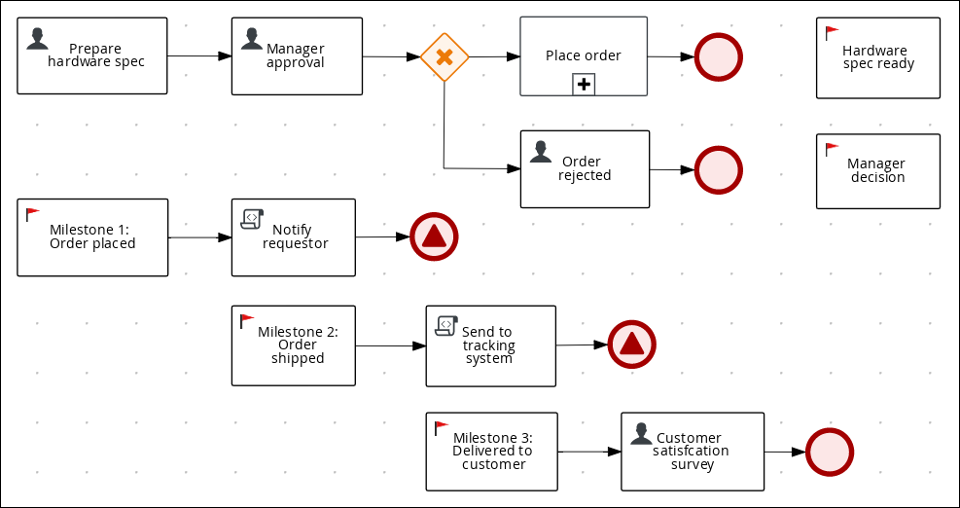
As a developer of business decisions and processes , you can use OpenText Operation Orchestration suites and Red Hat Process Automation Manager to develop decision services and process services using a variety of available assets.
This four-day course introduces students to the essential concepts
and usage of the Operations Orchestration (OO) software. OO is
part of the Operations Bridge, Data Center Automation, Hybrid
Cloud Management X and Service Management Automation X.
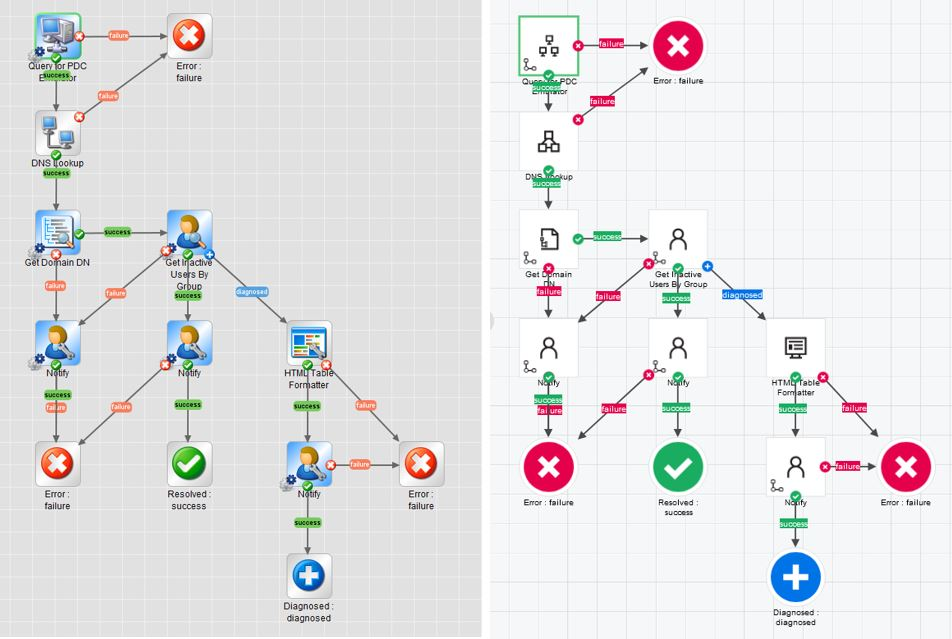
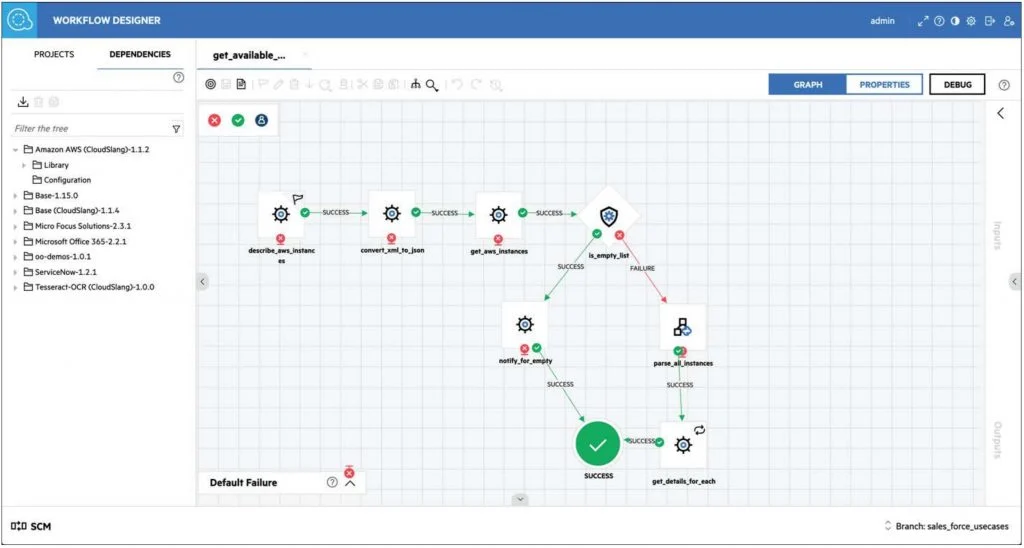
In particular, the course covers how to use OO Studio as a flow
development tool. It introduces students to the essential concepts
and usage of the Studio along with some advanced features.
Other topics in the course include using the source control
management (SCM) system, which is a useful tool for groups of
flow authors to work collaboratively on projects. This course also
covers creating operations and subflows using OO Studio.
Furthermore, you learn about using XML and JSON operations. In
addition, this course shows you how to use integration content to
facilitate integrations with other products like Operations Bridge
Manager (OBM).
The execution order internal to OO is explained in detail. This
course further focuses on advanced topics including using
scriptlets, using PowerShell and Representational State Transfer
(REST) to interact with OO Central, and using semaphores.
The course consists of focused, task-oriented lectures, text, and a
series of detailed hands-on labs to teach the course material to the
students. The hands-on labs for this course use version 2022.11 of
the OO software.
Prerequisites
Knowledge
Students to this class are expected to have:
- Good understanding Business Analysis is preferrable
- Good understanding of business vertical on specific industry
- Basic skills of structuring information, gather information, and facilitating workshops
- Basic understanding of computer operations skills :such as managing files, and browsing through applications
Technology
Depending on the delivery method of this course, the students should have :
- A Workstation with Internet browser capability such as (Chrome, Edge, or Safari)
- Good persistent internet connection without blocking firewalls(ideally non corporate firewall protected workstations)
The Labs
Labs are provided throughout the course
Labs covered in this course:
- Lab 1: Operation Modeling Concepts
- Lab 2: Workflow Designer Tour
- Lab 3: Simple Workflow Process
- Lab 4: Implement Operation Workflow controls
- Lab 5: Execute a workflow
- Lab 6: Workflow Debugging
- Lab 7: Publish and Use a workflow
Objectives
By the end of the course, students should be able to
-
Understand Business Architecture role and strategic alignment
-
Identify and describe the main components of OpenText Operation Orchestration
-
Describe the different Modeling languages
-
Develop and Maintain Business Process and Decision Models on OO
-
Manage the development lifecycle of Processes within OO
Audience
This course is designed to assist and equip the students with the skills and knowledge at the development hands on level, that allow them to perfect their daily tasks with respect to modeling business processes and automate decision making process, these are examples of the beneficiary audiences of the course.
- Business Architects: Help the Business Architect model, test, and maintain business models and decision making processes as workflows to the business practice
- Business Analysts: Be able to fine tune and test and review business models, validate and assist software developers understand the business modeling and decision making practice
- Product owners: Understand the business impact and importance of modeling BPMN, and DPM Decision Process Modeling to enhance improve business practices for agility and effectivness
- DevOps Developers: As full stack developers, be part of the modeling team to gather and model business practicess into effective workflows
- SRE Engineers: to understand how to fit the development and deployment of Operation Workflow models effectively into the CI/CD pipelines
Timeline
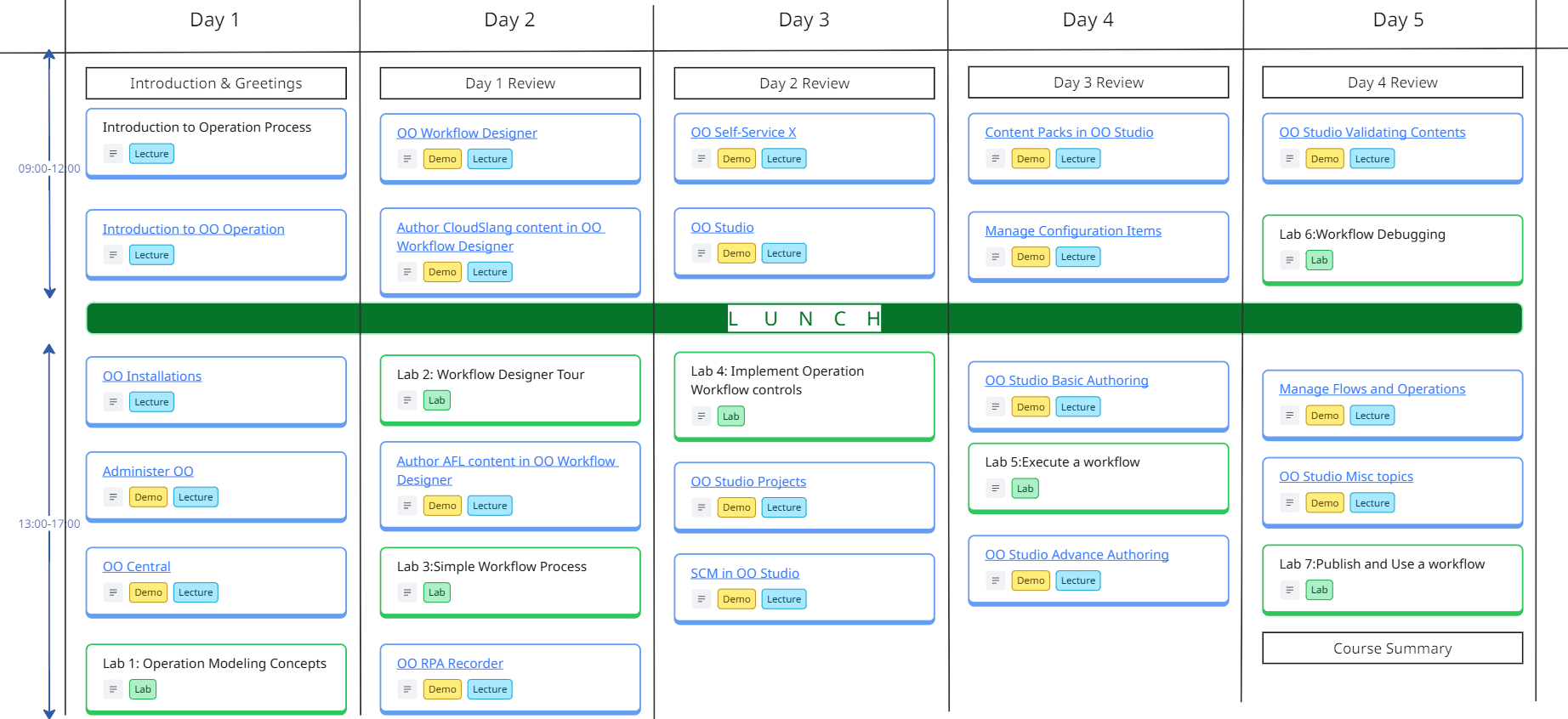
The OpenText Operation Orchestration Course is a 5 days course, includes lectures, demos, and workshops.
The following is guidelines for the instructor to organize the time pace with the students, subject to change based on students preference.
Breaks during the day follows the 106 rule, every 45-60m
*the 106 rule, indicates the human memory capacity to learn the new factual elements which is 106 facts before the memory could be reused.



Course Curriculum
Module 1: Introduction to Operation Process
- Holistic View
- Strategy Alignment
- Process Optimization
- Agility
- Common Languate
Module 2: Introduction to OO Operation
- OO Capabilities
- OO personas
- OO architecture
- OO user interface
Module 3: OO Installations
- Plan the installation
- Installation prerequisites
- Install OO Components
- Post Installation
- Uninstall OO
- Upgrade OO
Module 4: Administer OO
- Overview of Administration tasks
- OO Workflow Designer Administration
- OO Robots
- OO Recorders
- OO Central Database
- OO Central Security
- OO Workflow Designer Security
Module 5: OO Central
- Introduction to OO Central
- OO Central dashboard
- Run and Monitor flows
Module 6: OO Workflow Designer
- Tour over OO Workflow Designer
- Keyboard shortcuts
- Import contents from outside OO Workflow
Module 7: Author CloudSlang content in OO Workflow Designer
- Author flows
- Author operations
- Author a Hybrid flow
- Author system properties
- Debug the flow
Module 8: Author AFL content in OO Workflow Designer
- View AFL flows in OO Workflow Designer
- Edit AFL flows in OO Workflow Designer
- AFL flows steps
- AFL Multi-instance steps
Module 9: OO RPA Recorder
- Advance editing of RPA activity
- Object identification in OO Workflow Designer
- Content Packs
- Content Generator for REST API
Module 10: OO Self-Service X
- Access OO Self-Service X
- Manage OO Self-Service X
- Run Self-Service X scenarios
Module 11: OO Studio
- Visual Overview of OO Studio
- OO Studio Tour
- Customize OO Studio appearance
- Localize OO Studio
- Working with Projects
Module 12: OO Studio Projects
- Working with Workspaces
- Working with Projects
- Working with Folders
Module 13: SCM in OO Studio
- Overview of SCM Source Control Manager
- Subversion SCM
- Git SCM system
Module 14: Content Packs in OO Studio
- Import Content Packs
- Manage Content Packs
- Manage Dependencies
- Export Content Packs
Module 15: Manage Configuration Items
- Work with Configuration Items
- Configure Categories
- Configure domain terms
- Configure group Aliases
- Configure role aliases
- Configure scriptlets
- Configure Selection Lists
- Configure system Accounts
- Configure system evaluators
- Configure system Filters
- Configure system properties
Module 16: OO Studio Basic Authoring
- Create flow step-by-step
- Create a new flow
- Create steps in a flow
- Adjust the appearance of a flow
- Modify a flow
- Create Input
- Create Transitions
- Set responses
- Create outputs and results
- Work with variables
- Create return steps
Module 17: OO Studio Advance Authoring
- Create a subflow within a flow
- Create a flow with parallel split steps
- Create a flow with multi-instance steps
- Use scriptlets in a flow
- Use regular expressions in a flow
- Customize flow transitions
Module 18: OO Studio Validating Contents
- Validate flows in the problems pane
- Test and Debug a flow
- Debug complex flows
- Debug flows from Studio in a remote Central
Module 19: Manage Flows and Operations
- Create Operations
- Find a flow or operation
- Search and replace references
- Copy flows and Operations
- Flows and operations usage
- Documenting Flows and Operations
- Manage version history
- Bookmark flows and operations
Module 20: OO Studio Misc topics
- OO Wizards
- OO Studio Command Line Interface CLI
- PA Mobile

Calendar
Scroll through the months, and chose the right schedule for you, send us a standard request form register

